How to Write Your First Revit Macro in 7 Easy Steps


Courtesy of ARCHSMARTER

Courtesy of ARCHSMARTER

Macros are one of the easiest ways to Automate Revit. They let you get under the hood of your software and put it to work for you. Macros do not require any additional software other than Revit and are a great way for beginners to learn programming.

So what exactly is a macro? A macro is a user-created command that is coded using Revit’s API. Macros are run directly inside of Revit and are saved in the project file. Other applications, like MS Office, provide the ability to record macros directly from your actions on the screen. Unfortunately, Revit does not have this functionality. You must code your Revit macros directly.

Your First Revit Macro

Ready to write your first macro? As you’ll see, the process is very easy. Follow the steps below and you’ll be on your way to macro mastery.

1. Open the Revit Macro Manager

Create a new project file. Click the Manage ribbon then click the Macro Manager icon. This will open the Macro Manager dialog.


Courtesy of ARCHSMARTER

Courtesy of ARCHSMARTER

 Macros can reside in a project file or within the Revit application. Macros saved in the project file can be used by any user who opens that file. Macros saved in the application are saved to the user’s Revit configuration. These macros can be used on any model file but only by the user who created the macro.


Courtesy of ARCHSMARTER

Courtesy of ARCHSMARTER

2. Create a New Module

Macros are organized in modules. When creating a macro in a new project file, you must first create a module. A module is simply a collection of macros. A single project file can contain several modules with each module having its own macros. Module names cannot contain spaces or special characters. To create a module, click the “Project 1” tab then click the Module button in the “Create” section. In the “Create a New Module” dialog box, title your module “MyFirstModule. You can write macros in C#, VB.Net, Python or Ruby. For this exercise, choose VB.Net as the module’s language. Click OK to create the module.


Courtesy of ARCHSMARTER

Courtesy of ARCHSMARTER

Once Revit has created the module, SharpDevelop will launch. SharpDevelop is an open-source development environment that is built into Revit for programming macros.

3. Create a New Macro

Now that you have a module, you can create a macro inside the module. Click the Macro button in the “Create” section of the Macro Manager dialog. In the “Create a New Macro” dialog, title your first macro “MyFirstMacro” and set the language to VB.NET. Click OK to create the macro.


Courtesy of ARCHSMARTER

Courtesy of ARCHSMARTER

4. Write the Macro

Switch over to SharpDevelop. You’ll see the standard VB.NET code that is automatically generated when you create a new module. Toward the bottom you’ll see the starting code for “MyFirstMacro”. Your first macro is simply going to popup a message box in Revit. It only takes one line of code. After the “public void MyFirstMacro()”, type the following between the brackets:


Courtesy of ARCHSMARTER

Courtesy of ARCHSMARTER

5. Build the Macro

Once you’ve typed the code, you’re ready to compile or “build” the macro. All macros must be built before Revit can run them. In the SharpDevelop menu bar, select “Build” then “Build Solution”.


Courtesy of ARCHSMARTER

Courtesy of ARCHSMARTER

SharpDevelop will compile your VB.NET code into the .Net intermediate code. Any errors or warning will show up in the Errors and Warning window located at the bottom of the SharpDevelop interface.


Courtesy of ARCHSMARTER

Courtesy of ARCHSMARTER

If you have an error, double-check your code. The code window will list errors by line number so they are easy to pinpoint.

6. Run the Macro

If your macro compiled correctly, go back to Revit and open the Macro Manager dialog (Manage > Macro Manager). You should see “MyFirstMacro” in the list below “MyFirstModule”.


Courtesy of ARCHSMARTER

Courtesy of ARCHSMARTER

Select “MyFirstMacro” from the list then click the Run button. This will execute your macro. You should see the following on your screen:


Courtesy of ARCHSMARTER

Courtesy of ARCHSMARTER

You did it! You wrote your first Revit macro.

7. Make Some Changes

To take this further, you can modify the code to report back something more useful. Change your code to the following:


Courtesy of ARCHSMARTER

Courtesy of ARCHSMARTER

The “Me.Application.ActiveUIDocument” object represents the current model file. The “Document” object contains data pertaining to the current file itself. To see the active view in the current project file, change “Document.PathName” to “ActiveView.Name”. Note the underscore (“_”) character in the code above. This character represents a line continuation symbol. This tells SharpDevelop that the code continues in the line below. Line continuation symbols are used when printing long lines of code to a page. When you are typing the code, you can omit the “_” and type the code on a single line.

Your Next Revit Macro

Our first macro was useful for illustrating the process for creating a macro but let’s take what we just learned and put it to use on a macro that is more useful.The following code deletes unused views in the current model file. If a view is not on a sheet, it is deleted. Note this macro does not work with dependent views. To test out your new macro coding skills, create a new macro and type the following code:


Courtesy of ARCHSMARTER

Courtesy of ARCHSMARTER

After typing the code, go to Build > Build Solution to compile it. You may get an error or two, that’s normal. Use the steps outlined in the troubleshooting section above and try to resolve the errors. Check for typos in your code – that’s what usually gets me! Once the code builds successfully, switch over to Revit and run the macro.

Next Steps

Congratulations! You’re on your way to Revit macro mastery! While this tutorial is very basic, it illustrates the principles of writing Revit macros. For a next step, I recommend downloading and installing the Revit 2017 Software Development Kit or SDK. The SDK contains help files and sample code that will assist you as you learn to program macros. The Revit 2017 SDK be installed from the main page of the Revit installer or it can bedownloaded from the Autodesk Developer Network website. The SDK will install on your hard drive and create a bunch of subfolders and files. Take some time to review the files. The macro samples are particularly useful as you get started creating your own macros.

Conclusion

Learning to write macros and automate Revit will drastically improve your efficiency. A well-written macro can do more in five minutes than a regular user can accomplish in one hour. Learning to program takes time and patience. Start small and work systematically. You’ll be on your way to macro mastery in no time!

Exclusive Bonus! Click here to download an enhanced detailed PDF version of this tutorial along with a list of resources to help you write your own time-saving Revit macros

http://ift.tt/2erKQPQ

Design museums are filling the void left by print magazines says Deyan Sudjic

Deyan Sudjic portrait by Dezeen

Museums are benefitting from the decline of long-form print journalism according to Design Museum director Deyan Sudjic, who spoke to Dezeen’s Marcus Fairs in this talk we filmed for Molteni&C. Read more

http://ift.tt/2e0IKbe

Weber Arquitectos Design a Home Surrounded by Forests in Avandaro, Mexico

Five Houses by Weber Arquitectos (13)

Five Houses is a residential project completed by Weber Arquitectos in 2015. It is located in Avandaro, Valle de Bravo, México. Five Houses by Weber Arquitectos: “The project Five Houses proposes to realize the dream of living in a forest dominated by ancient pines and lush vegetation, in a privileged place. The site is located 3 minutes from the junction of the new Toluca – Avándaro road, which includes a..

More…

Material Focus: Cerrado House by Vazio S/A


© Gabriel Castro

© Gabriel Castro

This article is part of our new “Material Focus” series, which asks architects to elaborate on the thought process behind their material choices and sheds light on the steps required to get a building constructed.

The Casa no Cerrado (Cerrado House) was designed by Vazio S/A office. It was built in Moeda, Minas Gerais and, according to the architects while it seeks to explore the plasticity of basic architectural elements, the project showcases this unappreciated and threatened natural area: the Cerrado. We spoke with architect Carlos M. Teixeira to learn more about his choices of materials and the challenges of the project. 


© Gabriel Castro


© Gabriel Castro


© Gabriel Castro


© Gabriel Castro

What are the main materials used in the project in question?

CMT: Exposed concrete, glass, aluminum, stained concrete, eucalyptus.


© Gabriel Castro

© Gabriel Castro

What were your main sources of inspiration and influence when they were choosing the materials used in the project?

CMT: Brutalist Architecture, engineering “works of art” (concrete viaducts and bridges) and some contemporary architecture graduates of the Architectural Association.


© Gabriel Castro

© Gabriel Castro

Describe how decisions on materials influenced the design of the project.

CMT: The house has a pool on the roof. The material choice reflects the idea of exposing the structure that houses the pool and the walls that surround it. There was not exactly a choice of material. It was more a decision to expose the structure of the pool-terrace.


© Gabriel Castro

© Gabriel Castro

What were the advantages that this material offered for implementing the project?

CMT: I believe that in this case, the reinforced concrete was the only structural option. The second most important material is eucalyptus used in the brises. It is a relatively cheap wood and, depending on proper maintenance, stands up well to the elements.


© Gabriel Castro

© Gabriel Castro

Did the choice of materials create any kind of challenge to the project?

CMT: Some of the facades and slabs are textured, others aren’t. The plywood, when new, yielded smooth surfaces; while re-used plywood (regardless of its form and condition) yields uneven surfaces. Some  material and worker mistakes and contingencies were accepted; some others were encouraged.


© Carlos Teixeira

© Carlos Teixeira

How did you research suppliers and builders suitable for the materials used in the project?

CMT: Materials and design construction techniques do not require above average or specially skilled labor. Still, since it is a house built with local labor from the small town of Coin (5,000 inhabitants), it was necessary to accept some mistakes and inaccuracies.


© Gabriel Castro

© Gabriel Castro

Cerrado House / Vazio S/A
//cdn.embedly.com/widgets/platform.js

http://ift.tt/2ehuuvz

@signordal Washington Monument

via Instagram http://ift.tt/2eklTqY

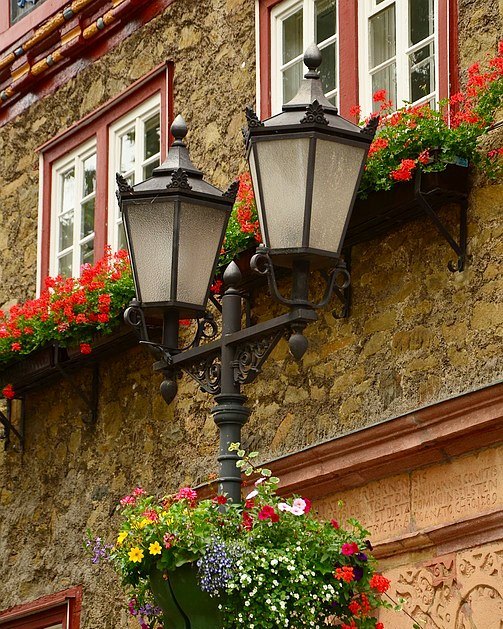
@signordal Lantern Street Lamps in Austria

via Instagram http://ift.tt/2ejQq7z

Agrotourism in Melgaço / Correia/Ragazzi Arquitectos


© Juan Rodriguez

© Juan Rodriguez


© Juan Rodriguez


Courtesy of Correia/Ragazzi Arquitectos


© Juan Rodriguez


© Juan Rodriguez

  • Collaborator: Juliano Ribas Silva, Marta Pinheiro de Almeida, Rita Breda
  • Engineer : Omega
  • Model : Patrícia Morais, Ricardo Amaral

© Juan Rodriguez

© Juan Rodriguez

From the architect. A property composed of a house in ruins, cultivation land, vineyards and a pine forest. The clients intend to recover and augment the house in order to develop an agricultural/rural tourism accommodation, and also build a winery and wine tasting area, as they are producers.


© Juan Rodriguez

© Juan Rodriguez

Floor Plan

Floor Plan

© Juan Rodriguez

© Juan Rodriguez

The expansion will result on a new volume in dialogue and similar relation as the existing one, next to the existent stone wall bellow. The volume is repeated, respecting the scale and tradition; at the recovered volume one will keep the granit walls and same roof tiles, the new volume reinvests himself with a contemporary materiality that enriches this dialogue. The interior finishes of both houses, in contrat with the harshness of the exterior, will be in wood.


Exploded Axonometric

Exploded Axonometric

Between the two volumes is created a green leisure area that corresponds to the green roof of the winery and wine tasting area, a volumetrically imperceptible volume, only denounced by the big opening on the stone wall that allows a view towards the vineyard and the existent water line.


© Juan Rodriguez

© Juan Rodriguez

The proposal provides a better relation since the entrance of the plot, with the vineyards to one side and the two volumes that frame and value the existent terraces, which we intend to enhance and recover according to their original features.


Courtesy of Correia/Ragazzi Arquitectos

Courtesy of Correia/Ragazzi Arquitectos

© Juan Rodriguez

© Juan Rodriguez

http://ift.tt/2erynvn

💙 exploring dreams X on 500px by Joanna Rzeźnikowska,…

💙 exploring dreams X on 500px by Joanna Rzeźnikowska, Toruń,… http://ift.tt/1RnkNEL

http://ift.tt/2dzrJ8J

At One with Nature on Lac Clair

La Maison Haute by Atelier Pierre Thibault (12)

La Maison Haute is a private home located in Lac-Clair, Quebec, Canada. Completed in 2016, it was designed by Atelier Pierre Thibault. La Maison Haute by Atelier Pierre Thibault: “La Maison Haute was designed to reinforce the relationship between the residents, their immediate surroundings and the view on Lac Clair. Located on a plateau, in the middle of a steep hill, circled by mature trees and a narrow river, the..

More…

Angela Eagle was subject to homophobic abuse after challenging Corbyn, Labour inquiry finds – Politics live

Rolling coverage of all the day’s political developments as they happen, including Theresa May and Jeremy Corbyn at PMQs and Philip Hammond giving evidence to the Treasury committee

9.11am BST

Angela Eagle was subject to homophobic abuse because of her decision to challenge Jeremy Corbyn for the Labour leadership, the party has concluded.

An internal report into allegations of abuse and intimidation in Wallasey Labour party says that Eagle was targeted and its findings have been upheld by a Labour national executive committee sub-committee.

Wallasey MP Angela Eagle WAS subject to homophobic abuse and targeted because she challenged leader Jeremy Corbyn – according to Labour party chiefs.

A confidential report leaked to the ECHO details a Labour party investigation into allegations of abuse and intimidation at the Wallasey Constituency Labour Party (CLP).

According to the report, the attack on the MP’s constituency office in Liscard was also “highly likely” to be connected to her challenge against Jeremy Corbyn for Labour’s leadership.

The report said: “It’s highly likely that the brick thrown through the window of Angela Eagle’s office was related to her leadership challenge. The position of the window made it very unlikely that this was a random passer-by.” It said that claims it could have been targeting another company and Ms Eagle was “lying” about being targeted are “categorically untrue”.

I am grateful that Jeremy took the unusual step of both attending and speaking in the meeting and that he expressed sincere sympathy for both me and for my staff.

It is now clear and accepted by the NEC that homophobic abuse was perpetrated by some members of the local Party; I will simply not tolerate it, and I know I have the backing of both Jeremy and union leaders when I say that there is no place for it in the Labour movement either.

Continue reading…

Politics blog | The Guardian http://ift.tt/2dztfaW