From the architect. About 3 kms from the city center, away from the urban grid, stands the Casino and Hotel Ovalle, founding a citadel in the middle of the valley of the Limarí. As well as the ancient inhabitants of the valley settled to the interior of the gullies; real cracks that striped the central plateau of the valley, this intervention aims to constitute a new gully on this new site. This crack seeks to give refuge through its nooks, which generate a sequence of indoor and outdoor spaces that are hidden from the outside traffic and tracks, favoring the calm and rest.
A large perimeter stone pirca delimits the living space of this new citadel. On it lie the volumes that contain the various components of the architectural program forming a square floor plan, which cuts through diagonally, forming the central crack of convergence. Making it seem as if this monolithic and hermetic volume was carved from the inside toward the outside, taking place through the stone materials, generating a crack and leaving the perimeter uncarved.
Except from the hotel, all other buildings are quite airtight, with walls veneered in stone found in the surroundings, giving a vernacular sense, and referring to the rocky walls of the gullies of the valley of the Limarí.
Each volume and its respective form accuse in a very subtle way what happens inside. The Casino and Ball Room collectively form a large box in a single floor, which is accessed from 2 opposite directions and receives a botanical garden on the roof, where the main species of cacti from the region are grown. On the other side of the central crack are located the Hotel and the Spa, which despite being connected, are formed in a completely different language, responding to the program in its interior, but maintaining a colloquial character. The hotel is distinguished by its metal cladding, inspired by the diaguita culture and their geometric forms, emulating a Greca. The Spa is a series of enclosed volumes arranged along 75 meters. Each one of these blocks suites heated swimming pools, body treatments rooms and other similar uses, topping off at the end with the outdoor swimming pool. Towards the end of the path stands the Diaguita Museum, a large monolith cube in board exposed concrete, striped by cuts of zenithal light.
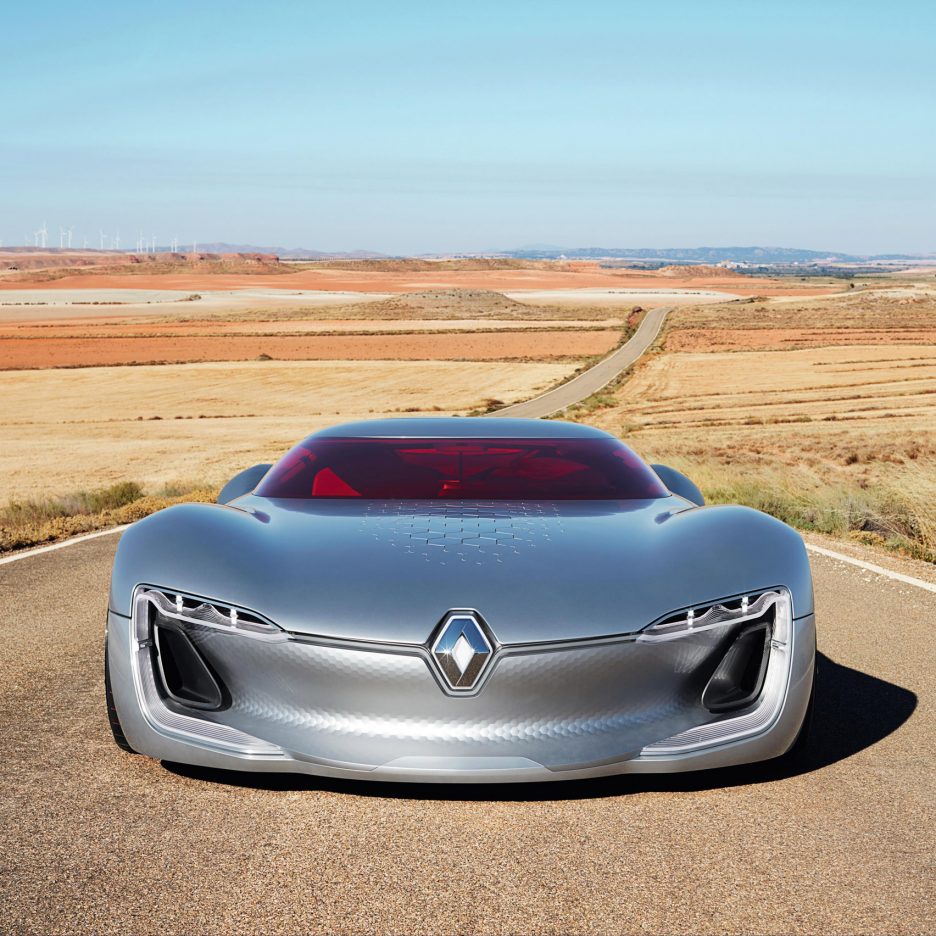
French car manufacturer Renault has unveiled its latest concept car, which features a red windscreen and a roof that “opens like the lid of a jewellery box” (+ movie). (more…)
From the architect. The former farmhouse is situated in an agricultural area. The typology of the existing building was used in a contemporary way to enlarge the dwelling. We added two new volumes with a pitched roof connected with the existing volume. Two chimney shaped skylights create light and a view on to the first floor. A third chimney houses the air outlet of the heat pump. Old and new collaborate together, while both remain clearly visible.
The new volumes are finished in wood. The old brick exterior is felt inside when entering the house. The new stairs are a reminder of the pre-existing mouldering stair that was removed. The buttresses and strips of brick in the floor will show the former layout of the barn. The double height in the dwelling makes the living areas more spacious. A new pre-weathered zinc roof connects the buildings into a whole. In addition to the replacement of the old joinery with new windows, the old volume opens up to the landscape on the rear side. Simple uniform windows according to the golden ratio characterize the construction.
The former building contains the dining room and sitting room, the kitchen, a storage room and toilet, four large bedrooms and two bathrooms. The extension accommodates the entrance hall, circulation spaces, storage space, technical facilities and a garage.
Both the former building and the new buildings are properly insulated (retaining the exterior brick wall) to create a low energy house. The house is mainly heated by an air-water heat pump with low temperature floor heating and radiators. Photovoltaic panels supply most of the electricity. All details are designed and implemented airtight.
Maybe it’s the eighties nostalgia. Maybe it’s the cast of lovable characters (a few reminiscent of The Goonies). Or maybe it’s just a break from reality via a fantastical monster. Whatever your reason for watching (binging) it, the hit Netflix series Stranger Things has left fans yearning for Season 2.
The first episode of Stranger Things introduces us to a crew of geeky tweens playing “Dungeons and Dragons” in ring leader Mike Wheeler’s basement. (Think basic eighties furniture and walkie-talkies strewn about.) This room is later used to sequester Eleven (Elle for short), the psychokinetic runaway fleeing a government lab.
via Boryana Ilieva
A quick flight upstairs is the bedroom of Mike’s older sister, Nancy Wheeler, the quintessential role model dating a classic sleaze ball. Admittedly, the minor drama in Nancy’s subplot provides a breather throughout the series.
via Boryana Ilieva
Although the nuclear family — and their home “the two-story house at the end of the cul-de-sac,” — may look picture perfect, secrets inundate this household. We all remember when Nancy’s boyfriend snuck in through the window. And while it remains Eleven’s hiding spot for most of the series, this particular setting feels like a respite in contrast to Will’s home. We’ll take this false sense of security over the “upside down” anytime!
via Boryana Ilieva
As ominous as those Christmas lights are, they certainly add a quaint charm to this beautiful plan of Will Byers’ home. This setting’s anxiety-ridden scenes appear innate to its design, however. Does that hallway seem extra long and narrow? The amount of time it takes Will to race down it leaves viewers on the edge of their seats. While interactions between these walls (literally) remain sinister, the colors of this particular drawing express the abode’s impending doom.
At the end of this evaluation, one can only feel sorry for Jonathan, the good-guy dealing with the resulting panic.
Presenting more than 70 projects from five continents by designers, architects, artists, theorists, choreographers, filmmakers, historians, archaeologists, scientists, laboratories, institutes and NGOs, the exhibitions will be spatialized by Andrés Jaque and the Office for Political Innovation and spread across five main venues – the Galata Greek Primary School, Studio-X Istanbul and Depo in Karaköy, Alt Art Space in Bomonti, and the Istanbul Archaeological Museums in Sultanahmet. The work of a dense array of international writers, video makers, and designer researchers will also be presented online.
70 Projects Presented in Four “Clouds”
Aimed at rethinking design for an age in which design has gone viral, the biennial is organised in four overlapping “clouds” of projects:
Designing the Body explores all the different ways in which the human body itself is a highly unstable artefact that is continually reconstructed, from the unique way our hands work to the latest research on the brain. Every dimension of the human is continuously adjusted, augmented or replaced.
Designing the Planet asks us to rethink the human design of vast territories and ecologies. The human radiates design in all directions and encrusts the planet in layer upon layer of artifacts as a kind of geology.
Designing Life looks at the new forms of mechanical, electronic and biological life that are being crafted. A fusion of machines, organisms, computation, and genetics is moving from the laboratory into everyday life, the land, the air, and the oceans.
Designing Time presents a unique archaeology ranging from the deep time of the very first human tools and ornaments to the ways in which social media allows humans to redesign themselves and their artefacts in as little as two seconds.
Archaeology of Things Larger than Earth, Pedro Alonso and Hugo Palmarola (Chile)
Milano Animal City, Stefano Boeri (Italy)
Window Behaviorology, Atelier Bow-Wow / Yoshiharu Tsukamoto Laboratory at Tokyo Institute of Technology / YKK AP Window Research Institute (Japan)
Space Design by Galina Balashova, Galina Balashova (Russia), Philipp Meuser (Germany)
Fictional Humanisms: A Critical Reportage, Marco Brizzi & Davide Rapp (Italy)
1 Brain, 100 Billion Neurons, 100 Trillion connections, Brown Institute for Media Innovation, Center for Spatial Research with the Zuckerman Institute, Columbia University (USA)
Texas City Landscan, Center for Land Use Interpretation (USA)
Conflict Urbanism: Aleppo, Laura Kurgan (South Africa/USA) and the Center for Spatial Research (USA)
The Immortal, Revital Cohen (United Kingdom), Tuur Van Balen (Belgium)
Going Fluid: The Cosmetic Protocols of Gangnam, Common Accounts, Igor Bragado (Spain), Miles Gertler (Canada)
Art Fiction François Dallegret (Canada)
Human Treasure, Tacita Dean (United Kingdom)
Kontrollraum / Control Room, Thomas Demand (Germany)
Unspoken, Diller Scofidio + Renfro (USA)
World Brain: Automatism, Stéphane Dougoutin (France), Gwenola Wagon (Canada)
The Unstable Object (II), Daniel Eisenberg (USA)
You will not be able to do it, Keller Easterling (USA)
The Designer Designed by the Humans, estudioHerreros (Spain)
Portable Indo Pacific, Fake Industries Architectural Agonism and UTS (Spain/Australia)
A Natural History of Human Rights, Forensic Architecture in collaboration with FIBAR: Baltasar Garzón, m7red and Irendra Radjawali (United Kingdom/Spain/Brazil/Argentina)
City of Abstracts and Lectures from Improvisation Technologies, William Forsythe (Germany/USA)
The Breaking Point, or The Paradox of Origins, Anselm Franke (Germany)
Welcome to the Anthropocene, Globaïa (Canada)
Space Debris 1957-2016, Stuart Grey (United Kingdom)
5TH HELENA, Mathew Hale (United Kingdom)
51Sprints, Het Nieuwe Instituut (Netherlands)
City of 7 Billion, Joyce Hsiang, Bimal Mendis (USA)
MUSSELxCHOIR, Natalie Jeremijenko (Australia)
GUINEA PIGS; A Minor History of Engineered Man, Lydia Kallipoliti, Andreas Theodoridis (Greece/USA)
Anatomy and Safe, Ali Kazma (Turkey)
“It is obvious from the map,” Thomas Keenan (USA) and Sohrab Mohebbi (Iran), with Charles Heller (USA) and Lorenzo Pezzani (Italy)
Embodied Computation, Axel Kilian (Germany)
The Perfect Human, Jørgen Leth (Denmark)
The Anthropophagic Body and the City: Flavio de Carvalho, Jose Lirá (Brazil)
Open Future, The Living / Sculpting Evolution Group, MIT Media Lab (USA)
Over the course of the last year (2015-2016), the curators have held graduate seminars on “What is Design?” at Princeton University and Columbia University in order to explore a wide range of topics related to the theme of the Biennial. A joint team of Princeton and Columbia students worked over the summer with the curatorial team to prepare a set of six curatorial interventions to be inserted into the main exhibition of the Biennial. These interventions—Design Has Gone Viral, The Unstable Body, Are We Normal?, Enclosed by Mirrors, Homo-Cellular, and Design in 2 Seconds—present historical and contemporary research to supplement the work of the invited contributors to the Biennial and deepen the reflection on the central question: Are We Human?
In addition to the curatorial interventions, the biennial will include two special projects: the famous “Transparent Man” from the Deutsches Hygiene Museum (whuch will return to Istanbul for the first time since 1938 to be exhibited in the Designing the Body section), and a set of casts of Neolithic human footprints in what is now Istanbul is being exhibited in the Designing Time section, along with some of the original footprints in the original soil.
Superhumanity (in collaboration with e-flux)
Over fifty writers, scientists, artists, architects, designers, philosophers, historians, archaeologists will be addressing “Self-Design” as part of this collaborative project. Nikolaus Hirsch and Anton Vidokle of e-flux, alongside Beatriz Colomina and Mark Wigley, have commissioned 2000-word contributions from different fields that respond to the theme of the Biennal.
Turkey Design Chronology
A long term research project investigating the last two centuries of Turkish design has also been instigated. Representing an attempt to bring together fields such as packaging, graphic design, communication and advertisement, housing, furniture, landscape, industrial buildings, and other fields which have not been addressed from the perspective of design yet, like lighting, toys, music, ceramics, health or non-governmental organisations, within a time frame starting from the Ottoman Tanzimat reform era (beginning around 1839) until the present day. A team of of Turkish expertsis being coordinated by Pelin Derviş.
Open Call for Video Submissions
In the spirit of expanding the bandwidth of the Biennial to the widest possible interdisciplinary and intergenerational conversation, Colomina and Wigley launched an Open Call for two minute videos on the question Are We Human? / Biz İnsan mıyız? based on the following eight interlinked propositions:
DESIGN IS ALWAYS DESIGN OF THE HUMAN
THE HUMAN IS THE DESIGNING ANIMAL
OUR SPECIES IS COMPLETELY SUSPENDED IN ENDLESS LAYERS OF DESIGN
DESIGN RADICALLY EXPANDS HUMAN CAPABILITY
DESIGN ROUTINELY CONSTRUCTS RADICAL INEQUALITIES
DESIGN IS EVEN THE DESIGN OF NEGLECT
“GOOD DESIGN” IS AN ANESTHETIC
DESIGN WITHOUT ANESTHETIC ASKS URGENT QUESTIONS ABOUT OUR HUMANITY
According to the Biennale, more than 200 videos from 68 cities in 36 countries were submitted. 146 videos that fulfilled the requirements of the Open Call will be presented in a dedicated section within the exhibition itself, and will be made available online. An “international and interdisciplinary” jury evaluated each submission and selected five which will be highlighted in the biennial exhibition and catalogue:
Guesthouse, Merve Bedir (Turkey), Alican İnal (The Netherlands)
Atrophy, Jonathan Hadari, Simona Katsman (Israel)
Autography, Alper Raif İpek(Turkey)
Once in a Lifetime Opportunity, Görkem Özdemir (Turkey)
Bedrooms of New York,Dimitris Venizelos (Cyprus)
“No Selfie Zone”
According to the curators, the 3rd Istanbul Design Biennial “carries the most complex design-work, the human itself, into the streets and online media, with images of people taking selfies in the mirror.” The flash in these “no-selfies” interrupts the human image, masking the identity of the selfie-taker and enabling the viewer to imagine themselves or others in the image. The over exposed human becomes a mystery, a question mark. In their introduction to the exhibition catalogue, the curators suggest:
This biennial is a kind of mirror. The real work is not just what is on show but in the unexpected and inventive reactions to the surprising reflections one always sees in a mirror.
The 3rd Istanbul Design Biennial (which runs from the 22nd October to the 20th November 2016) is free of charge (except the Istanbul Archaeological Museums will require a museum ticket). You can learn more about the Biennial in this exclusive interview with Colomina and Wigley.
There’s no doubt that architects spend a lot of time in front of a desktop, be it virtual or three-dimensional. In fact, although this statistic is not exclusive to architects, the average time a person now spends sitting down per day is 7.7 hours; in the United States the average is an unbelievable 13 hours. Of course this includes time spent on the train, watching a movie on the sofa, or a whole range of other seated activities, but the vast proportion of this time is likely to be spent working by a desk or laptop.
How can you improve the quality of that time, so it’s both well spent and, ideally, minimized? To have a more efficient, productive—and most importantly, more pleasant—time at work, here are 13 ways to improve your physical and digital workspace.
1. Secure Seating
What’s most important to remember about chairs is that they are different for everyone. In other words, unless you can get a chair specially customized for your body, investing in the most adjustable chair you can find is your best bet. Seeing as architects spend a lot of time at a computer, there are some specifics to keep in mind: firstly, reasonably broad armrests with adjustable heights will provide your arms with more than enough support to get them through a day of typing and clicking.[1]
Another essential factor is being able to vary your seat height, allowing you to align your eyes with your screen; ideally, the screen should be 2-3 inches (5-8 centimeters) above eye level to keep you from hunching forwards.[2] To further prevent that hunch, make sure you have a movable backrest in the vertical as well as horizontal direction. And remember to use it! You don’t want to be sitting on the edge of your seat.
When working late, the harsh glare of a computer screen can seriously mess up your circadian cycle, making the next day an even tougher one. This is almost certainly due to two main causes: the brightness of your screen and its color temperature. Your screen should be about as bright as the rest of your surrounding environment, so if it currently looks like a source of light, turn the brightness down. If, on the contrary, it’s looking a little gray, you may need to turn the brightness up. This is something that most people notice and adjust quite instinctively; the color temperature of a screen, however, is more often overlooked.
Blue wavelengths are generally associated with eyestrain, whereas longer wavelength colors such as orange and red are more pleasant for long-term usage.[3] Your computer screen emits a lot of blue wavelengths, which can be okay during the day, but during the night it can get pretty tiring (while still preventing you from falling asleep). Try downloading f.lux, an application that automatically adjusts the color temperature of your screen depending on your personal daily rhythm. Just remember that colors will vary when your computer is under f.lux, so if you’re working with color in your drawings, you may want to take that into consideration.
3. Comfortable Keyboard
If you’re using a laptop instead of a desktop computer, try to get hold of a laptop stand; it will make the screen-to-eye-level alignment feel less awkward. However contrary to popular belief, a stand that tilts the keyboard away from you is far better than one that tilts towards you. A forward tilt puts unnecessary strain on your wrists, as they have to stay tight and upright.[2] Placing your keyboard at arm’s-length and centered in front of you will improve this even further. If you haven’t already, look into buying an external keyboard and mouse. They will add more flexibility and comfort to your workspace.
4. Warm Lighting
Unfortunately, workplaces around the world seem to use harsh florescent lighting that is often way too bright and feels very cold. Ambient and indirect low lighting is both cozier and much better for your eyes. Again, as with the color temperature of a computer screen, warm “yellow” light tends to be better than “white” light. Whether this light is artificial or natural makes little difference, but even sunlight can be too harsh in certain situations. Adding a curtain to diffuse the light may be a good idea if you’re sitting by a window. Adjusting your desk so that it is adjacent to a window, as opposed to being in front of one, will also help to reduce light intensity and screen glare.[3]
We’re mostly discussing the items on and by your desk, but what about the desk itself? How does it fit into its context? Often a desk is assigned to you, but if you’re lucky enough to have the liberty to choose, here are some things to consider. As creative people, it’s necessary for architects to brainstorm and review ideas with others. Sitting next to or across from someone you can critically discuss with is crucial to squeezing the most out of a concept.
Workspaces will usually also contain livelier spaces (such as by an entrance or busy walkway) as well as calmer corners. As a general rule, quiet spaces allow for more concentration and productivity, however if you end up in a more animated space, take the opportunity to observe the people around you; as architects, paying attention to the way people interact with their surroundings is an invaluable tool. If the noise ends up getting too distracting after all, plug in some headphones to drown out the chatter. When you need to focus, it’s best to listen to instrumental music, as the lack of human voices will reduce distraction. Alternatively you can use white noise generators to avoid distracting noise altogether; websites like Noisli even allow you to create custom white noise, with a number of different sounds you can mix together to your liking.
6. Healthy Snacking
Snacks can be the most attractive way of procrastinating when you have important work to get done. Yet if done right, they can be the key to sustaining your creativity and happiness.[4] Having a well-stocked snack box with healthy foods such as almonds or fruits close by or on your desktop will make it easier for you to avoid the desire to get up and wander around in the search for an unhealthy snack. Furthermore, you will probably end up having several small “meals” over the course of the day, instead of the standard three large meals usually consumed. This helps to maintain steady blood sugar levels, instead of causing sugar highs and lows that lead to unexpected mood swings and sudden fatigue.
7. Creative Messiness
Studies have shown that messy spaces foster creativity, contrary to the Nordic minimalist interior visions of many architecture firms nowadays.[5] And before you think, “productivity,” that has been covered as well: participants of a creative challenge produced about the same number of solutions in a tidy space as in a messy space—except the ideas generated in a messy space were measured to be 28% more creative (and yes, apparently you can reliably measure creativity). Needless to say, there are exceptions to every rule, but when in doubt, don’t be afraid to make a mess.
8. Organized Files
Despite the scientific endorsement of messiness, there are still certain things that are best kept under strict organization—more specifically, all the files on your desktop and hard drive. If not properly named, finding files and folders on your computer can become quite difficult to say the least. Taking that extra effort to give your file a proper title, including any important dates and specifications, can save you enormous amounts of time when those files need resurfacing in the future. Backing them all up on an external hard drive or cloud storage is another good investment that will save you a lot of heartbreak in the unfortunate event of a malfunctioning computer.
9. Shelves vs Drawers
Storage space isn’t limited to the virtual desktop; we still catalog and store many objects and files in our physical space, most often on shelves or in drawers. Although both have their advantages, open shelves are more in line with our visual profession, as everything can be easily seen and located. This also follows the theory that messiness provokes creativity; having an abundance of visual stimuli can evoke inspiration from unexpected places.
As architects, an understanding of the relationship between virtual and physical materials is imperative. Therefore, having something as simple as a pinup board, where digital drawings and visualizations can be hung up and reviewed by hand, can make a world of difference. More futuristic tools such as the Smart Writing Set make the transition between virtual and physical even more fluid. What’s important is not to leave an idea in one form, but to set up an effective transfer system between materials.
11. Dual Screens
Having two screens can be a great advantage if you don’t have a large display, showcasing a digital drawing up on one screen, and specifications on another. The disadvantage of this is that it quickly gets distracting; having that second screen will be a constant fight for your attention, guiding it away from that visualization you should really be focusing on.[6] An alternative could be to have a large screen for your computer or laptop, accompanied by a smaller tablet used in emergency situations, or when you’d really prefer not to constantly be shifting between tabs. The benefit of the tablet is that it can be locked away when you’re done with that task, reducing the likelihood of distractions.
12. Controlled Notifications
Notifications can be great when they’re relevant, and frustrating when they’re not. Filtering your notifications between “need to know,” “nice to know,” and “useless” will help you stay focused on what you’re doing, while still keeping you updated on information you need. Altering which notifications alert with a vibration, and which with a silent pop-up (or nothing at all), can easily be done through notification settings.
Set up a calendar system that works on all your devices, across all your necessary activities and appointments. Minimizing your calendar to one platform will, firstly, save a lot of time as everything is in one place, and secondly, prevent you from worrying about your memory.[7] Getting into the habit of putting all your events and deadlines onto one system will significantly reduce the chances of forgetting something, instead directing full focus towards your work.
Now, enjoy your new and improved creative space.
The images used in this article were submitted to our “Sketch Your Workspace” reader challenge. To see all 42 submitted drawings, visit the full article here.
References:
Unknown. “Ergonomic Chair.” Government website. Canadian Centre for Occupational Health and Safety. N.p., 5 Mar. 2014. Web. 27 Sept. 2016.